Sportzfy has become a popular choice for sports fans because it offers more than just live events. Over the years, the app has introduced several useful features that make it easier to follow football, cricket, and other sports on Android devices, Smart TVs, and larger screens.
From organized Live, Recent, and Upcoming sections to the new 4K player support introduced in Sportzfy v27.0, the app continues to improve with every major update.
In this guide, we will explain the most useful Sportzfy TV features, how they work, and why they help users enjoy sports more comfortably in 2026.
Best Sportzfy Features at a Glance
1. Live, Recent, and Upcoming Events
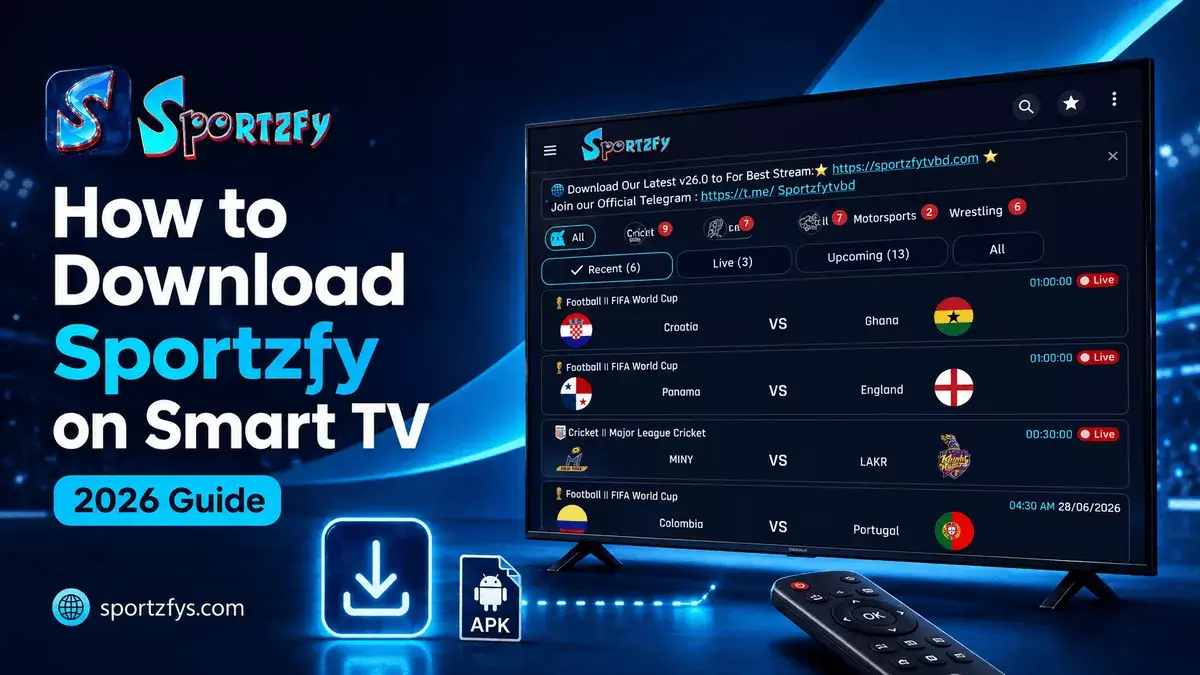
One of the most useful Sportzfy TV features is its organized event layout. Instead of showing everything on one screen, the app separates sports events into Live, Recent, and Upcoming sections. This makes it much easier for users to find the event they are looking for.
Before a match begins, users can check the Upcoming section to see what is scheduled. During match time, the Live section displays ongoing events, while the Recent section helps users quickly find recently listed or completed events.
Quickly find sports events that are currently active.
Check events that recently appeared inside the app.
See which football, cricket, or other events are coming next.
This simple layout is especially helpful during busy tournaments like the FIFA World Cup, UEFA Champions League, and major cricket competitions, where multiple matches can take place throughout the day.
2. Multiple Sports Categories
Sportzfy is not limited to just one sport. The app brings together different sports categories in one place, making it easier for users to follow their preferred events without switching between multiple applications.
Depending on the available event schedule, users may find:
This feature is especially useful during busy sports seasons when football leagues, international cricket tournaments, and other competitions are happening at the same time.
3. 4K Player Support
One of the newest Sportzfy TV features is 4K player support, introduced in Sportzfy v27.0. This improvement helps the built-in player handle higher-quality streams on supported devices.
For users watching football or cricket on a bigger screen, 4K support can provide a sharper and clearer picture when a supported 4K channel is available. This is especially useful on Android TV, FireStick, TV Box, and compatible Smart TV setups.
Sportzfy v27.0 added 4K support to the built-in player for compatible channels and supported devices.
4K quality depends on the event, channel availability, device support, and internet speed. Users should keep the latest Sportzfy version installed and use stable WiFi for better results.
Read our complete Sportzfy v27.0 update guide to learn about 4K support, new FIFA channels, and performance improvements.
4. Match Alerts and Notifications
Sportzfy also includes match alerts and update notifications that help users stay ready before important events. This can be useful during big tournaments when users may forget kickoff times or miss the beginning of a match.
With match alerts, users can receive a reminder before selected events begin. This gives them time to open the app, check the event, and prepare their internet connection before match time.
- Help users remember important kickoff times
- Reduce last-minute event searching
- Give users time to test their internet connection
- Useful during FIFA and major cricket tournaments
5. Multiple Channel Options
Another useful Sportzfy TV feature is the availability of multiple channel options for many sports events. Instead of depending on a single option, users may find more than one available channel for the same match.
This is especially helpful during high-traffic events like FIFA World Cup matches, where many people may open the same event at the same time. If one option is busy, slow, or not loading, users can try another available channel.
Recent updates have also improved FIFA match links and channel availability during important football matches.
6. Built-in Video Player
Sportzfy comes with a built-in video player, so users do not normally need to install a separate media player to open available sports events.
The player supports useful controls such as full-screen viewing, landscape mode, and quick navigation. In newer versions, it has also received performance improvements and 4K playback support for compatible streams.
Useful for phones, tablets, TVs, and larger displays.
Provides a more comfortable sports viewing layout.
Handles supported higher-quality channels in newer versions.
Makes navigation easier without needing another player.
7. Faster App Performance
Sportzfy updates often focus on improving app speed and stability. A faster app helps users open events quickly, switch between categories smoothly, and find live matches without too much delay.
This is important during busy sports events when many users open the app at the same time. Better performance can reduce slow loading, improve navigation, and make the overall app experience cleaner.
Users should keep the latest Sportzfy version installed to receive the newest speed improvements, bug fixes, and player updates.
8. Android TV and Big-Screen Support
Sportzfy can also be used on bigger screens through supported devices like Android TV, FireStick, Google TV, Smart TV setups, Android TV Boxes, and PC emulators.
This is useful for users who prefer watching long football or cricket matches on a TV instead of a small phone screen. Big-screen support can make family viewing, match nights, and major tournaments more comfortable.
Install Sportzfy directly through a supported APK method.
Android TV GuideUse Downloader to install Sportzfy on a TV through FireStick.
FireStick GuideSupported on Android TV, Google TV, and compatible devices.
Smart TV GuideUse Sportzfy through Android emulators on Windows devices.
PC Guide9. Lightweight APK Size
Sportzfy is also known for its lightweight APK size. Most recent versions are usually around 15–16 MB, which makes the app easier to download and install on supported Android devices.
A smaller app size can be useful for users with limited storage or slower internet connections. It also helps keep the application simpler compared to many heavier sports apps.
The exact size can change slightly depending on the version and update.
Users should still check the APK size before installing because fake or modified versions may have unusual file sizes.
10. Safety and Fake APK Awareness
Since Sportzfy is popular, fake APK files and copycat websites sometimes appear online. These files may use old version numbers, unusual APK sizes, copied designs, or modified app files.
Before installing Sportzfy, users should always check the version, APK size, and download source. A trusted source helps users avoid installation errors, too many ads, and fake versions.
Before Downloading Sportzfy
- Check the latest version number
- Verify the APK size
- Avoid modified APK claims
- Avoid pages with too many download buttons
- Use a trusted Sportzfy source
- Check update notes before installing
You can also read our guide on Why Fake Sportzfy Versions Exist Online to learn how to identify unofficial APK files before downloading.
11. User-Friendly Interface
Sportzfy keeps the app interface simple so users can find sports events without confusion. The main sections are easy to understand, and users can move between Live, Recent, and Upcoming events quickly.
A clean interface is important because sports fans usually want fast access before kickoff or match time. They do not want to spend extra time searching through complicated menus.
Main event sections are easy to locate.
Users can quickly check what is live or upcoming.
New users can understand the layout without a long setup.
12. Regular App Updates
Sportzfy continues to receive updates to improve the app experience over time. New versions may include bug fixes, faster performance, better event navigation, new channel options, and player improvements.
Regular updates are important because sports events change quickly. During major tournaments, users need updated links, smoother loading, and better stability.
This is why users should keep the latest version installed and check update notes whenever a new release becomes available.
Sportzfy Features Comparison Table
Frequently Asked Questions
What are the best features of Sportzfy TV?
Some of the most popular Sportzfy features include Live, Recent, and Upcoming events, multiple sports categories, 4K player support, match alerts, multiple channel options, Android TV compatibility, a lightweight APK, and regular updates.
Does Sportzfy support 4K playback?
Yes. Sportzfy v27.0 introduced 4K player support. When a compatible 4K channel is available, users with supported devices and stable internet may use higher-quality playback.
Can I use Sportzfy on Android TV?
Yes. Sportzfy works on Android TV and other Android-based devices such as Google TV, FireStick, TV Boxes, and compatible Smart TV setups.
Does Sportzfy send match notifications?
Sportzfy includes match alerts and update notifications that can help users stay informed before selected sports events begin.
Why should I keep Sportzfy updated?
New updates may bring performance improvements, bug fixes, player enhancements, new channel options, and features that improve the overall app experience.
Is Sportzfy a lightweight app?
Yes. Recent Sportzfy APK versions are usually around 15–16 MB, although the exact size may change slightly between updates.
Final Words
Sportzfy offers much more than just live sports events. Features like organized event sections, multiple sports categories, 4K player support, match alerts, multiple channels, Android TV compatibility, regular updates, and a simple interface make it a convenient choice for many sports fans.
As new versions are released, Sportzfy continues to improve with better performance, new features, and wider device compatibility. Keeping the latest version installed allows users to receive the newest improvements and a better experience during football, cricket, and other major sporting events.
Users should also download Sportzfy from a trusted source, verify the APK version and size, and avoid modified APK files that may cause installation or performance problems.